

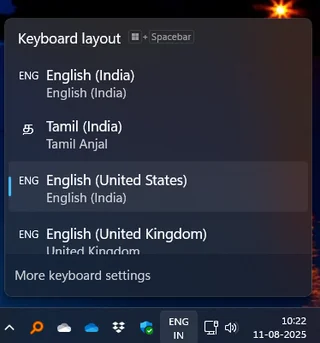
For the last few years, I have been facing an odd problem in Windows 11. I normally use “English (India)” and “Tamil (India) Anjal” keyboard layouts, but Windows insists on adding English (UK) and English (US) layouts on its own. I remove them, and they come back after every reboot, like ghosts that refuse to leave.
I have tried everything you can imagine — setting EN-IN as the system locale, checking every Microsoft Account linked to my PC, moving from a personal to a work account, reinstalling Windows, and even tinkering with PowerShell scripts and the registry. Nothing worked. The unwanted layouts always returned.
These ghost layouts don’t even appear in the Settings → Language page. But they do show up in the system tray language switcher, forcing me to press Windows + Space multiple times just to switch between English and Tamil. Over time, this became more than an annoyance. It slowed down my workflow every single day.

After trying every fix I could find on forums and Reddit, I finally decided to write a small program to clean this up myself. That’s how I vibe-coded WinTamilKbdApp. It’s a simple Windows utility that lists all the installed keyboard layouts and removes the unwanted ones.
Right now, it’s designed specifically for my setup — English (India) and Tamil (India). These two layouts are hardcoded for now. If you’re someone who uses the same combination, this tool may save you the trouble I’ve been through.
The program is written in Visual Basic .NET using the Win32 API. It was built in Visual Studio Code with some help from GitHub Copilot and GPT-4. You can download the executable or look at the source code if you’d like to build or modify it yourself.
Both the source and a ready-to-run binary are available here: GitHub Repository – WinTamilKbdApp.
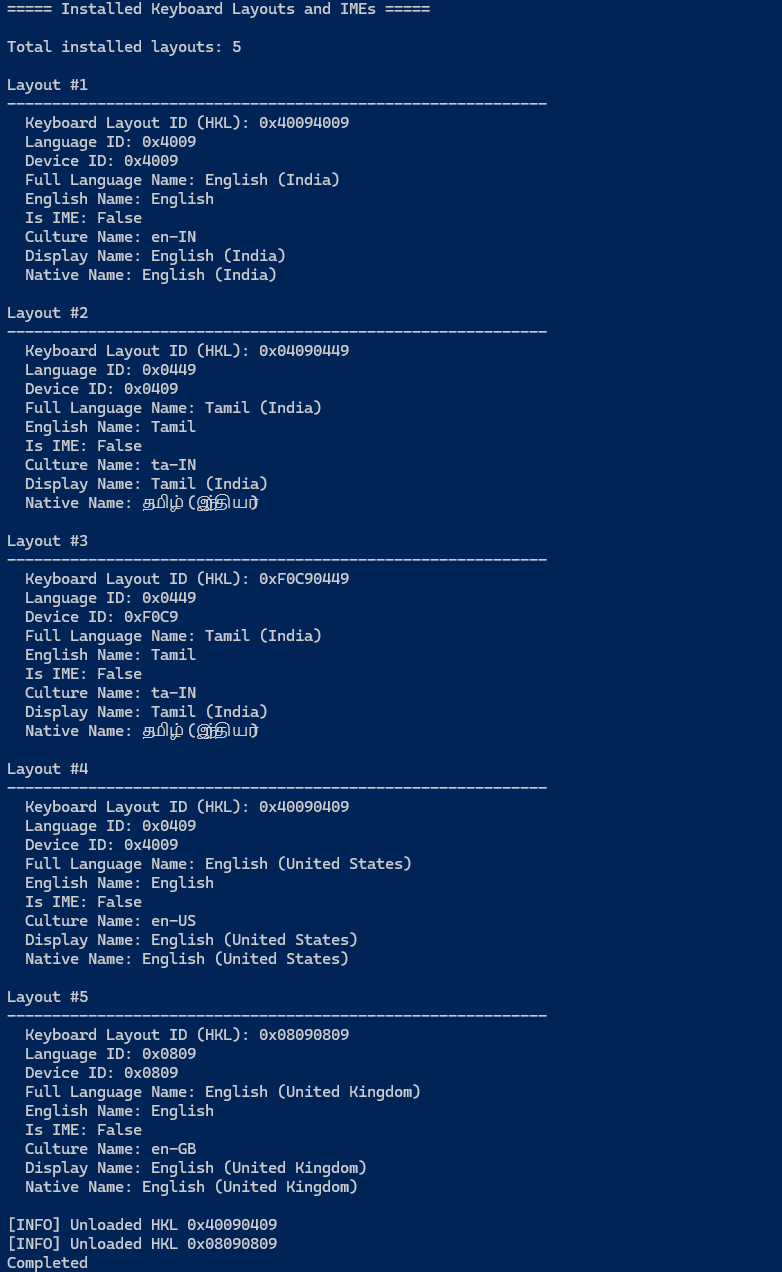
This is still an early version and I’m continuing to test and refine it. If it helps you or you have ideas to make it better, I’d be happy to hear from you.
Discover more from Mangoidiots.com
Subscribe to get the latest posts sent to your email.