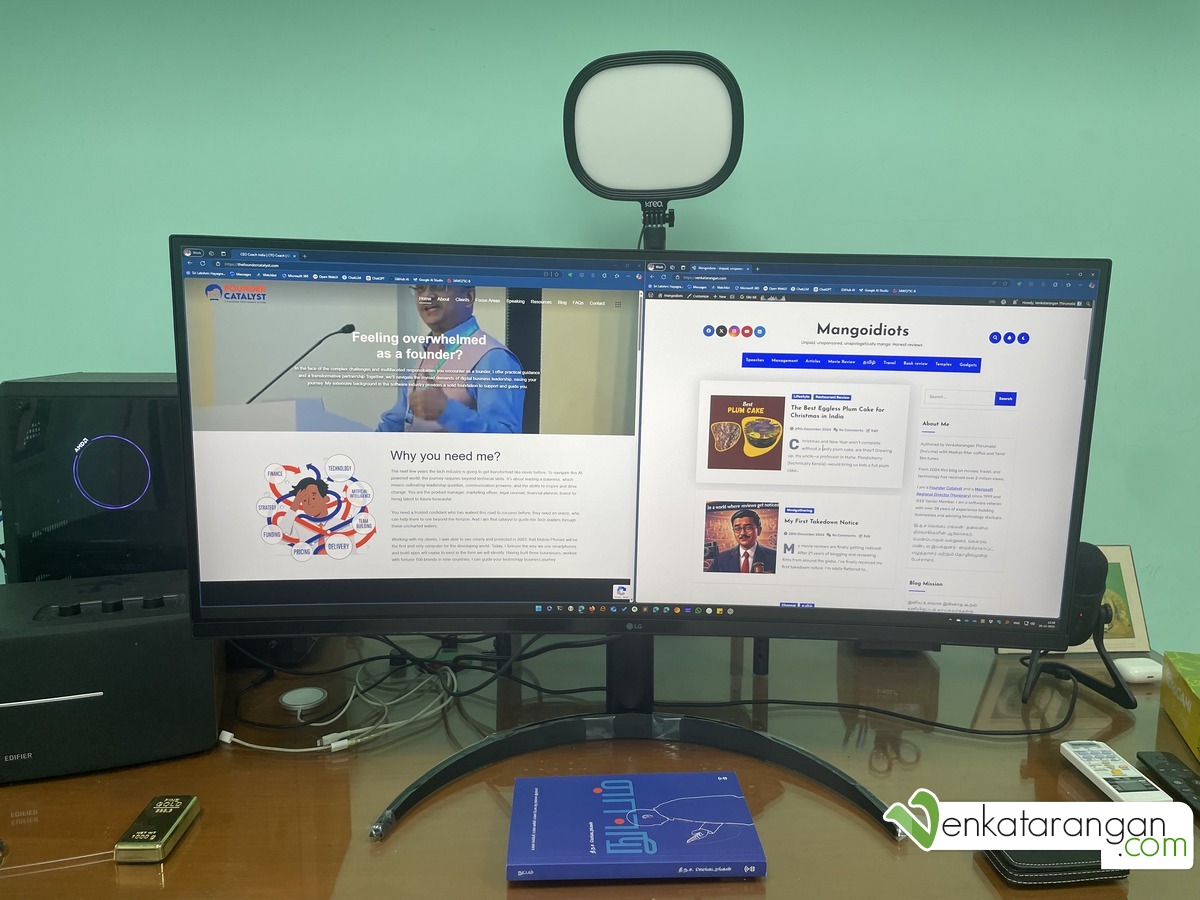
Over the years, I’ve shared glimpses of my video calls during the work-from-home phase. But this is my updated 2025 desk setup — the tools and gadgets I personally use every day for Microsoft Teams and Zoom meetings, recordings, and long writing sessions. For me, ergonomics and convenience always come first. Price is not the primary driver, especially when I spend most of my waking hours at this desk.
Video & Lighting
Let’s begin with the camera and lighting, the front-facing heroes of any virtual meeting.
Logitech BRIO 4K Webcam – A reliable and sharp webcam. I’ve had this for years now, and while newer versions exist, this one still serves me well. Great for both everyday video calls and occasional recordings for YouTube or keynote sessions.
Slab Key Light by Kreo Tech – I use this for a soft, shadow-free look during calls. It comes with a height-adjustable stand and fits nicely behind my monitor. Very useful for even lighting. Price was INR 1999.
Light Wooden Base LED Standing Floor Lamp – Purchased from Amazon India. Apart from being functional, it adds warmth and ambient lighting in the background, making the video frame feel natural. Price was INR 1285.
️ Audio and Input Devices
Fifine K678 Condenser Microphone – Plug-and-play USB mic that I use for Zoom, Teams, and the occasional voiceover. It gives excellent clarity. If you’re looking for a no-fuss, solid mic, this one is still relevant. Again newer models are now available, please check them.
Microsoft Wired Ergonomic Keyboard – I’ve been loyal to this keyboard style for over 20 years. It’s not about nostalgia, but sheer comfort. I always use a keyboard tray under my desk — so that the keyboard and mouse are aligned with my chair’s armrests, keeping the elbow and wrist relaxed. Helps reduce strain and prevents carpal tunnel discomfort.
Anker Vertical Ergonomic Mouse – Bought from Amazon USA. Its vertical design helps my wrist stay in a neutral position — especially important for long coding or writing sessions.
Speaker Setup
I like having instrumental music or soft background tracks playing while I work. Wearing headphones all day on a desktop is tiring, and laptop speakers simply don’t cut it.
Edifier D12 Integrated Stereo Speakers – These have been a recent and happy addition to my setup. They deliver clear, balanced sound without taking up too much space. With a wooden finish, wired connection support, and minimal cables, it’s a neat choice for a professional desk. I considered the bulkier Edifier R1280DBs, but space constraints ruled that out.
Previously, I had used Altec Lansing BXR1221 speakers at my desk for nearly a decade. They were fantastic until they finally gave up. At home, I used Harman Kardon Onyx Studio 4 — beautiful sound, but the Bluetooth issues made me cautious about wireless-first speakers this time.
️ Display
LG 34WQ75C-B – 34″ Curved Monitor – This ultra-wide monitor is great for multitasking. I usually have 2-3 windows open side by side and can work without constantly switching tabs. For someone used to a single desktop as the primary machine, this makes a big difference. The specs were 34 inches, QHD (3440×1440), HDR10, USB Type-C, RJ45 Port, IPS Panel, Aspect Ratio (21:9), Curvature (3800 R) and Built-in KVM. I went for this slightly curved monitor over deeper curves, as this was my first curved monitor. The price was INR 41400 directly from the LG India website. Earlier, I was having LG 27UD68P 4K Monitor and then BenQ 32 inches 4K HDR Monitor.
Ergonomic Chair
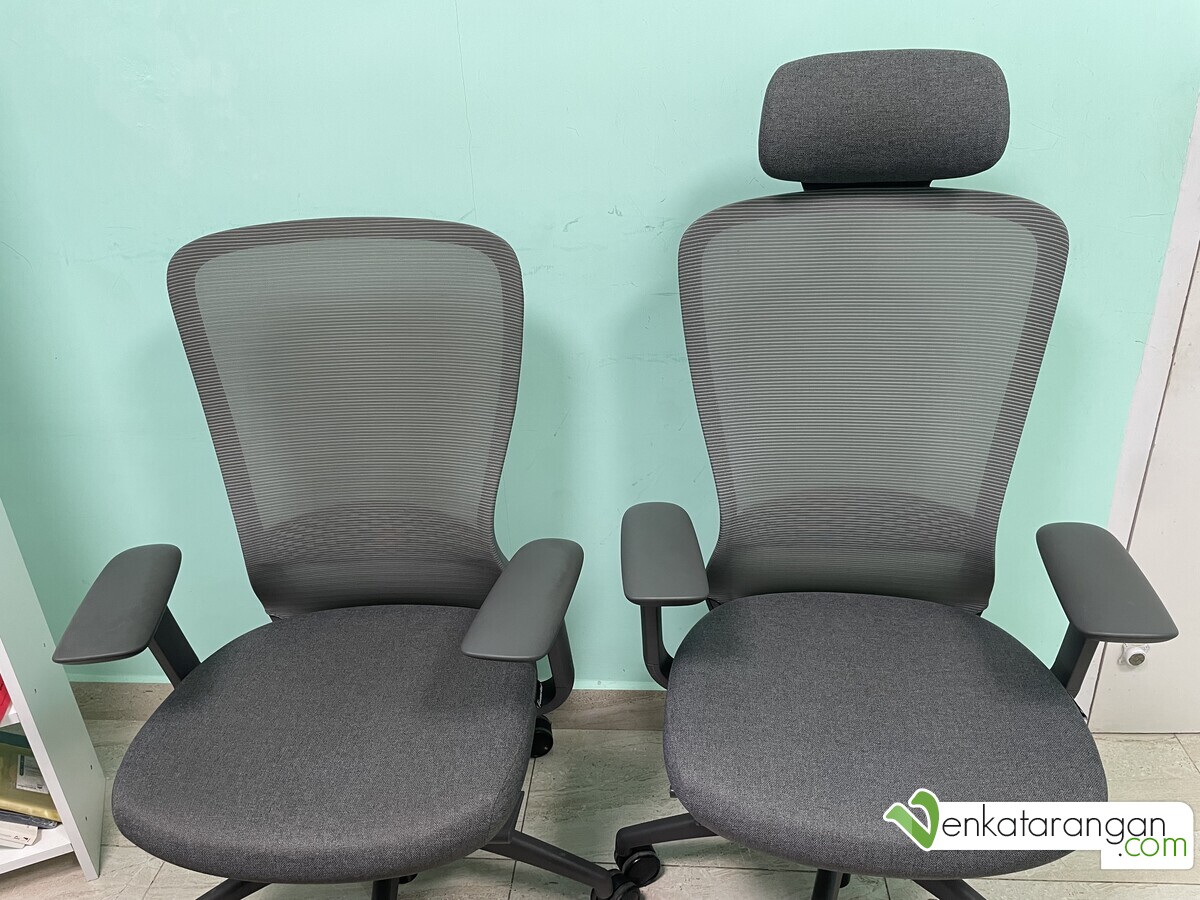
For over two decades, my work chair has always been from Featherlite, India. My first one, the Contact HB model, served me well from 2003 for many years. About five years ago, I upgraded to the Helix High Back Chair (₹26,000) and recently picked up the Helix Medium Back Chair (₹21,000) for my home. Both have been sturdy and supremely comfortable. It’s one of those silent contributors to my daily productivity. Earlier, for a few years, I was using a Chinese-made mesh chair that had failed due to usage.
My desktop setupLG 34WQ75C-B – 34-inch Curved MonitorSlab Key Light by Kreo TechFeather Helix Medium and High Back Chairs
Edifier D12 Integrated Stereo Speakers
Disclosure: I write reviews about products that I have bought for my usage and paid in full. There were no sponsorship or advertisement, or commission of any sort involved in this post.
These are the gears I trust and use every single day. I’m not chasing the latest gadgets, but the ones that work reliably, help me stay comfortable, and avoid wrist and back pain after long hours. If you’re putting together a similar workspace, feel free to ask — happy to share links or other alternatives.
Discover more from Mangoidiots
Subscribe to get the latest posts sent to your email.